|
Rig Port Setup
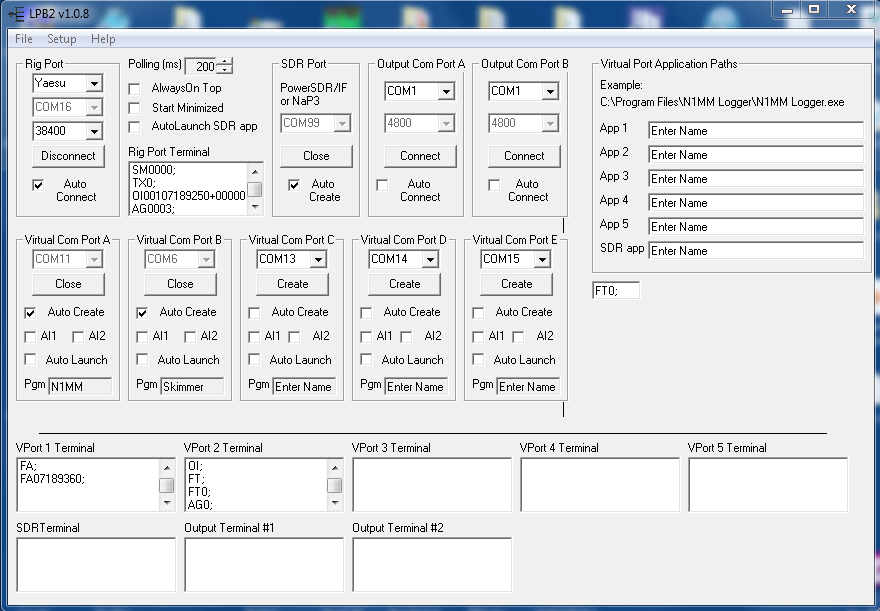
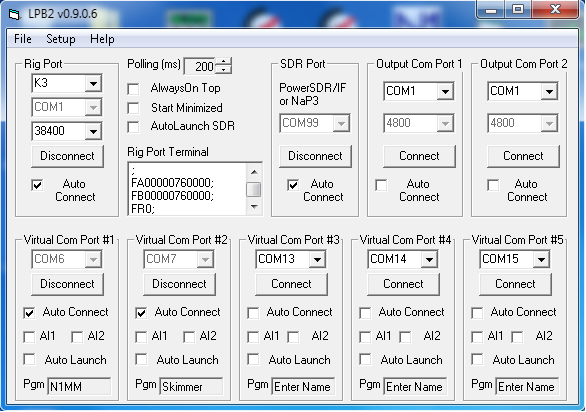
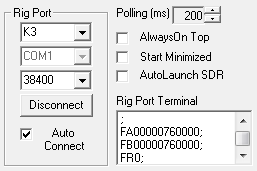
Select rig type Select comm port Select baud rate When starting, the button below the baud rate selector will read "Connect". Clicking this button connects to the rig, which is indicated by watching the serial traffic in the Rig Port Terminal, and the button reads "Disconnect" as shown. Checking Auto Connect allows the rig to be automatically connected when LPB2 is started. Polling Rate defaults to 200ms but can be set faster ot slower. The Always On Top checkbox allows LPB2 to supercede other windows on the screen. Start Minimized allows LPB2 to start in the Taskbar. AutoLaunch SDR automatically launches the SDR app (PowerSDR/IF or NaP3) when starting LPB2. |
 |
|
SDR Port Setup
Currently, COM99 is the only choice. This is done to avoid conflicts with any other comm port. The same port number will need to be selected in PowerSDR/IF or NaP3 in order to set up the link between LPB2 and the SDR app. The rig selection in the SDR app should be set to the same rig type as LPB2 and the same baud rate as well. The Connect/Disconnect button and Auto Connect check box function the same as the Rig Port. |
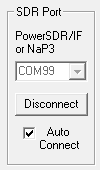 |
|
Virtual Port Setup
Select any unused port number. The Connect/Disconnect button and Auto Connect check box function the same as the Rig Port. Auto Launch is used to launch the app associated with the port. Pgm: Enter the name of your app here to help you remember what's connected. AI1 or AI2... used to emulate the Kenwood Auto Information modes which are required for apps which do not poll. NOTE: Virtual Port #1 provides full bidirectional comms with the rig. VPorts #2-5 have limited support and would normally be used for a simple logger or something like CW Skimmer ot MixW. |
 |
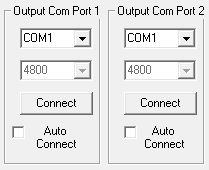
| OutPut Com Port Setup... Com Port selector: Select the port that your external hardware is connected to (SteppIR controller, amplifier, autotuner, etc.) Baud Rate: Currently fixed at 4800 baud, not adjustable. Connect/Disconnect: Click this button to connect to the hardware. Auto Connect: Once everything is working well, the hardware connection can be automated to connect when LP-Bridge starts.The K3 must be connected before the output ports can be conected. To connect an Output port to SteppIR controller, you need to connect the selected PC port to your SteppIR box Data In port. The cable to the SteppIR controller should be a DB9 female to DB9 female crossover cable. This means that pin 2 from one end should be wired to pin 3 three of the other end and vice versa. The connector on the SteppIR box uses non-standard wiring, so only wire the needed pins. Pin 2 on the SteppIR end goes to pin 3 on the computer end... pin 5 (gnd) is the same at both ends. Also, it is necessary to add a "loopback" jumper from pin 7 to pin 9 at the SteppIR end of the cable. Here is a crude diagram... |
  |
| Version |
Release
Date |
Notes |
| 1.08 Update |
5-27-15 |
Bug
fix for Yaesu |
| 1.07 full |
2-8-15 |
Updated Eltima drivers to the latest ones. |
| 1.06 full |
1-9-13 |
Added support for
Windows 8 |
| 1.044 |
5-6-12 |
Added support for NaP3 v1.20 |
| 1.041 |
3-4-12 |
Add support for IS command for Yaesu rigs |
| 1.040 |
2-28-12 |
Add support for NaP3 v1.1.0 |
| 1.030 |
2-2-12 |
Fix "IF;" reporting bug |
| 1.020 |
1-1-12 |
Made some slight changes to the GUI, added LN command and fixed a bug. |
| 1.010 |
12-20-11 |
Added support for NaP3 v1.04 |
| 1.000 |
12-3 |
Added support for NaP3 beta 3 |
| 0.909 |
11-13-11 |
Fix bug related to mode reporting. |
| 0.908 |
11-5-11 |
Add support for K3 firmware v4.4.2 |
| 0.907 |
10-12-11 |
Add filter to fix PowerSDR/IF RIT reset
bug with FT-5000, add support for K2. |
| 0.906 | 9-30-11 | Initial beta release of LPB2. |