| Noise
Floor: Center / Edges |
Dynamic
Range |
Cost New |
Production Status |
Windows
7 64-bit Compatibility |
|
| Up to 192 kHz |
|||||
| Behringer
UMC202HD USB See Note 14 |
-130
/ -128 dBm |
112
dB |
$56 (Amazon) |
In
Production |
Drivers
for all Windows up thru 10. |
| Asus
Xonar U7 USB See note 11. |
-131
/ -126 dBm |
118
dB |
$80 |
In
production |
Driver
support for all modern Windows thru 10. |
| Asus
Xonar U5 USB See note 11 |
-130
/ -126 dBm |
119
dB |
$65 |
In
production |
Driver support for all modern Windows thru 10. Does not support XP. |
| Realtek
ALC8xx or 11xx 8ch HD Audio motherboard sound system |
-128 / -118 dBm | 116 dB | Built
in |
In Production | Compatible with MME / WDM. No ASIO driver |
| AimPro
AS372N USB (Sewell SoundBox Pro) (SIIG CE-S70011-S1) See note 12. . |
-134
/ -126 dBm SoundBox Pro tested, but all three appear to be the AS372N. |
118dB |
$65
- $75 |
In
Production |
Driver support for all modern Windows OS |
| Creative
Labs E-MU 0202 USB |
-130
/ -120 dBm |
118dB |
NA | Out
of production |
See
E-MU 0204 Comments. |
| Creative
Labs E-MU 0204 USB See note 1 Comments / Links |
-132 / -122 dBm | 120dB | $115 |
Out of production | Compatible
with ASIO & MME drivers. Must set up Windows Mixer when using MME
driver. See note 1. |
| Creative
Labs E-MU 0404 USB See note 7. |
-130
/ -120 dBm |
118dB |
$150 |
Out of production | See
E-MU 0204 Comments. |
| Creative
Labs E-MU 1212m PCI E-MU 1212m PCIe See note 8 Comments / Links |
-135dBm
ASIO -130dBm MME No edge falloff |
123
dB ASIO 118 dB MME |
NA |
Out
of production |
Great
performance with ASIO, OK with MME. |
| Infrasonic
Quartet PCI See note 9 Comments / Links. |
-132
/ -120 dBm |
120
dB |
NA |
Out
of production |
Compatible
for ASIO. Not compatible with MME. |
| Steinberg
UR22 USB - See note 6 |
-125dBm
center -135dBm@150kHz -145dBm@192kHz |
115 dB | $150 | In Production | Excellent drivers for W7/W8 |
| Tascam
US-366 USB Not recommended |
-130
/ -130 dBm |
112
dB |
$150
w/rebate |
In
production |
Driver
nightmare in my testing |
| Up to 96 kHz |
|||||
| Asus
Xonar DSX PCIe See Note 13 |
-130dBm
/ -130dBm |
119
dB |
$45
w/rebate |
In
production |
Drivers
are OK with Win7 |
| M-Audio
Firewire Audiophile |
-133dBm |
121
dB |
~$80 Used |
Out
of production |
Not
tested with Win7 |
| M-Audio
Audiophile 2496 PCI See note 10 Comments / Links. |
-133dBm | 121
dB |
$90 |
In
production, but hard to find. |
Excellent
for ASIO and MME. |
| Syba
(VIA) USB Sound Card SD-AUD20101 See note 3. |
-125dBm |
113
dB |
$12 |
In
production |
Works with win 7 32 & 64-bit |
| Sound
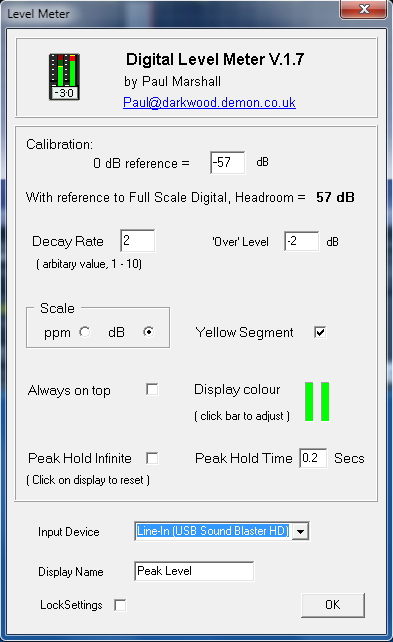
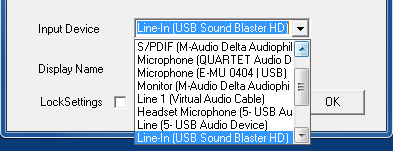
Blaster HD USB See note 4. |
-130dBm |
118
dB |
$85 |
In
production |
Works
well with win 7 64b using MME drivers |
| Sound Blaster X-Fi Surround 5.1 Pro USB See note 5. | -132dBm
|
120
dB |
$60 |
In
production |
Not
tested with win 7, but they have drivers up to Windows 8.1. |

| Sound card |
Windows
Mixer Level
Setting for Optimum Dynamic Range Percentage / dB |
Notes / Suggestions |
| Realtek ALC882 "HD
Audio" |
60
(+7.6dB) |
Use 1/8" (3.5mm) stereo Y
adapter and Blue LINE IN jack |
| E-MU 0202 / 0204 /
0404
USB |
3
(-0.4dB) |
Front panel pots at 10 o'clock |
| M-Audio Audiophile
2496 |
100
(0.0dB) |
Set NaP3 Gain to +6 |
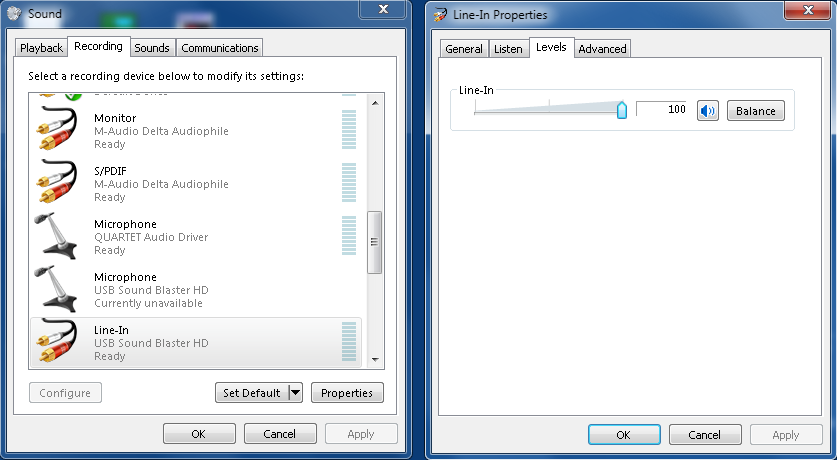
| USB SoundBlaster
HD (SB1240) |
100
(0.0dB) |
Set NaP3 Gain to +3, turn on DC
Block. |
| USB SoundBlaster
XFi (SB1090) |
66
(+8.5dB) |
Turn on DC Block for NaP3 |
| Steinberg UR22 |
100
(0.0dB) |
Front panel pots at 9 o'clock,
turn on DC Block for NaP3 |
| Syba (VIA) USB SD-AUD20101 | 0
(0.0dB) |
Set Sample Offset to +1, turn
on DC Block in NaP3, set CAL to +8.0. |
| E-MU 1212m PCIe |
100
(0.0dB) |
PatchMix level set to +7dB. ASIO
works a bit better than MME |
| Infrasonic Quartet |
---- |
Use ASIO driver and manufacturer's control panel |
| Asus Xonar U7 USB card |
10-20 (-26
to - 20dB) |
Set NaP3 Gain to +10.0. Use
Xonar Control Panel to set this card up rather than Windows Mixer. |
| Asus Xonar U5 USB card |
0-2 (-16
to -12.5dB) |
Set NaP3 Gain to +10.0. |
| Sewell SoundBox Pro USB |
20 (-8dB) | Set NaP3 Gain to +10.0. |
| Asus Xonar DSX PCIe |
20 (-14.9dB) |
Set NaP3 gain to +10. Set this
card up in Windows Mixer |
| Behringer UMC202HD USB |
20-30 (-24 to -18 dB) |
Set this
card up in Windows Mixer. Front panel pots fully CCW with INST inputs selected using the front panel switches, 12 o'clock with LINE inputs selected. |